Every gallery relies on accurate information to manage the artworks in its care. Staff need to know where a work is located, whether it is available, who owns it, and which collectors have expressed interest. These questions come up throughout the day, from preparing an exhibition to responding to a client inquiry.
When the answers are spread across spreadsheets, inboxes, and individual staff members, keeping everyone informed becomes more difficult. Even small discrepancies can affect sales, collector conversations, and invoicing. Art gallery inventory software helps galleries bring this information together and keep it current.
This guide explores what gallery inventory software does, why inventory management is only one part of running a gallery, and how to evaluate systems based on your day-to-day workflows. It also includes a vendor checklist, considerations for galleries of different sizes, and practical questions to ask during a demonstration.
What Is Art Gallery Inventory Software?
Art gallery inventory software provides a central database for recording and managing artworks. Each work has a record containing its images, details, provenance, pricing, and status. That record can also connect to location, consignment information, collector interest, and sales or presentation history. Keeping these details together helps different teams work from consistent, up-to-date information.
Inventory Is the Foundation, Not the Whole Job
Unlike conventional retail stock, artworks are unique, with individual histories and ownership arrangements. A work may belong to an artist, a collector, or the gallery itself. For that reason, a useful inventory system needs to support the range of questions gallery staff encounter in their daily work:
- Where is this artwork right now? In the back room, at an off-site storage facility, crated for a fair, on loan to an institution, or out on approval with a collector.
- Who owns it? Gallery-owned stock, artist consignment, or a secondary-market work consigned by a collector.
- Is it available? Available, on hold, reserved, sold, or not for sale, and for whom and until when.
- What are the consignment terms? The agreed price, commission split, consignment period, and any discount the artist has approved.
- Which collectors have expressed interest? Who asked about it, who saw it at the fair, and who has bought this artist before.
- Can a salesperson see it away from the gallery? Current price, status, and images on a phone or tablet during a studio visit or on a fair stand.
- Can it go into a presentation or private view? Without retyping details or exporting images by hand.
- Is the website showing the right information? A sold work shouldn’t still appear as available online.
- Can each person see what they need, and nothing more? A preparator needs locations and dimensions. They don’t need the consignor’s net price.
An accurate inventory database provides the foundation for answering these questions. Its value becomes even greater when that information is accessible to the people and channels that depend on it, including sales, registrars, art fair teams, and the gallery website. This is where inventory management becomes part of a broader gallery management workflow.
Start With How Your Gallery Works
Before comparing vendors, it helps to look closely at how your gallery currently operates. The right system should support the way artworks, information, and financial details move through your organization.
Start by following an artwork through a recent consignment, from intake and photography to cataloguing, pricing, exhibition, an art fair, a hold, sale, invoicing, shipping, and artist payment. As you review each stage, note where information is entered more than once, exchanged by email, or maintained in a separate file.
This exercise can also reveal where existing processes create difficulties. Common challenges include:
- Inventory records that don’t match what’s physically in storage
- Works that are sold but still listed as available somewhere
- Consignment terms kept in PDFs that no one checks at invoicing
- Collector interest recorded in a salesperson’s inbox, not a shared record
- Fair and presentation materials rebuilt from scratch every time
- Website updates that depend on one person remembering to make them
Consider who needs access to different information. Directors, sales staff, registrars, preparators, finance teams, and marketing colleagues may each use the same artwork record in different ways. Understanding these needs will help you evaluate mobile access, permissions, and reporting.
Finally, establish a few measurable goals. You might want to maintain one artwork record across every channel, update website availability on the same day, or produce artist statements without manual reconciliation. These priorities can help keep vendor conversations focused on practical outcomes rather than feature lists.

Essential Features to Look for in Gallery Management Software
The following capabilities are particularly useful for gallery operations. Not every gallery will need all of them immediately, but it is worth considering whether a system can accommodate new requirements as your organization grows.
Artwork and Inventory Management
Each work needs one complete, structured record: artist, title, medium, dimensions, editions, images, and pricing. Structured fields keep thousands of records consistent and searchable.
Location and Movement Tracking
See where a work is now and everywhere it has been, from storage to fairs, loans, and shipments.
Availability and Status Management
Statuses such as available, on hold, reserved, sold, and NFS should be dated, tied to a client, and kept separate from physical location.
Provenance and Documentation
Ownership and exhibition history, condition reports, and certificates belong with the artwork record, especially for secondary-market sales.
Consignments and Loans
Track consignors, agreed prices, commission terms, and dates, so you can see what is expiring and what is owed.
Contacts and CRM
Link collectors, artists, and institutions to the works they have bought, consigned, or asked about, not just their email addresses.
Sales and Offers
Record offers, holds, and sales against both the work and the client, so history is visible from either side.
Invoicing and Financial Workflows
Invoices and artist statements should use the same data as the sale, so prices and commission splits match.
Mobile Access
Sales staff need current images, prices, and availability at fairs and client meetings. Ask what works offline and what staff can edit remotely.
Presentations and Secure Sharing
Build presentations from inventory records without retyping, and control what each collector sees, including prices.
Online Viewing Rooms
Public or private viewing rooms should pull details and images directly from your database.
Gallery Website and Database Connectivity
A website that publishes from your database updates automatically when a work sells or is withdrawn.
Reporting
Look for reports on inventory value, sales, consignments, locations, and client activity.
Permissions and Security
Role-based permissions should protect cost, net prices, consignor details, and client data. Ask how data is hosted and backed up.
Multi-Location Management
One inventory should cover every gallery space and storage site.
Integrations
Ask which connections to accounting, shipping, email, and other tools are built in, and which rely on imports and exports.

Why Connected Gallery Management Matters
Many galleries already use a range of tools to manage their work. The challenge often lies in keeping information consistent between them.
A gallery might maintain inventory in one database, contacts in another system, invoices in accounting software, presentations in a separate application, and a website that requires manual updates. When an artwork changes status, staff may need to make the same change in several places. It is easy for one update to be overlooked.
The can lead to situations anyone who has worked in a gallery will recognize:
- A collector asks about a work the website says is available, but it sold last week.
- A salesperson at a fair quotes an old price because their PDF is out of date.
- An invoice uses a different commission split than the consignment agreement.
- Two staff members place holds on the same work for different clients.
- Nobody can say with confidence which works are at the fair and which are still in storage.
A connected approach helps address these challenges by treating the core database as a single source of truth. The artwork record is maintained centrally, while sales tools, presentations, mobile workflows, viewing rooms, and websites can draw on the same information. Depending on the integrations in place, a change in availability or sales status can then be reflected across the relevant channels.
For gallery staff, the benefits can be felt across everyday tasks:
- Less duplicate data entry. Staff spend time with artists and collectors, not retyping records.
- Fewer errors. Prices, statuses, and details match across every channel.
- Faster responses. Sales staff can answer a collector’s question on the spot.
- Better institutional memory. Client interest and sales history stay with the gallery, not in one person’s inbox.
Importantly, a connected approach does not necessarily require one system to handle every task. Different teams can continue using tools suited to their work, provided those tools share reliable artwork information rather than creating conflicting records.

What Should Different Types of Galleries Look For?
The most useful features will vary according to a gallery’s size, program, and working practices. The following considerations can help you prioritize your requirements.
Small and Emerging Galleries
In a small gallery, staff often balance several responsibilities, making time spent on administration especially valuable. Priorities may include:
- Ease of use and quick setup, with minimal ongoing administration
- Affordable, predictable pricing
- Core inventory and contact records in one place
- Professional presentations and PDFs you can send to collectors
- A website that updates from your inventory, so you don’t maintain it separately
Starting with a structured database early is far easier than migrating years of spreadsheets later.
Growing and Mid-Size Galleries
As a gallery adds artists, staff, and art fairs to its calendar, processes that once worked informally may become harder to maintain. Look for:
- Inventory, CRM, and sales connected in one system
- Consignment tracking with commission terms and expiry dates
- Reporting on sales, inventory, and artist activity
- Mobile access for staff at fairs and client meetings
- Website and viewing room connectivity
- Permissions that let multiple staff work at once without overwriting each other
- Workflows that scale as you add artists, locations, and people
Large and Multi-Location Galleries
For galleries working across several spaces, storage facilities, or countries, maintaining consistent information becomes particularly important. Look for:
- A single, centralized inventory across every location
- Detailed permissions by role, team, and location
- Registrar workflows for condition, crating, shipping, loans, and insurance
- Logistics and movement history across sites and fairs
- Advanced reporting for directors and finance
- Mobile tools for large, distributed sales teams
- Connected digital channels, from viewing rooms to multiple websites
Gallery Software Evaluation Checklist
The following checklist can help you compare vendors consistently. Where possible, ask each provider to demonstrate the capability in the software rather than simply describing it.
| Can the system… | Why it matters |
| Show the complete location history of an artwork? | Registrars and insurers need to know where a work has been, not only where it is now. |
| Separate physical location from sales availability? | A work can be at a fair and on hold at the same time. |
| Track consignments and commission terms? | Invoices and artist statements should match the agreement. |
| Flag consignments that are due to expire? | Avoid holding works past their agreed term. |
| Show collector interactions with a work? | Sales staff can follow up with the right people at the right time. |
| Record holds and offers against both the work and the client? | Prevents double holds and lost context. |
| Give salespeople current inventory information remotely? | Fairs and studio visits depend on accurate prices and status. |
| Create presentations from inventory information? | Saves hours of rebuilding PDFs and slides. |
| Control what’s shared in a presentation, such as prices? | Different collectors should see different information. |
| Publish artwork information to a website or viewing room? | Keeps what collectors see online accurate. |
| Manage multiple locations in one inventory? | One version of the truth across every space and storage site. |
| Control access to sensitive financial information? | Protects net prices, cost, and consignor details. |
| Produce the reports your directors and finance team need? | Decisions depend on reliable numbers. |
| Connect with your accounting and other tools? | Reduces manual reconciliation. |
| Reduce duplicate data entry overall? | The clearest measure of whether a system is connected. |
| Import your existing records cleanly? | Migration quality determines how fast your team adopts it. |
How to Evaluate Vendors Beyond Features
Two systems may offer similar features but feel quite different in daily use. Once you have a shortlist, consider how each option would work for your team across the following areas.
- Usability: Will your whole team use it, including people who aren’t comfortable with technology? A system that only the registrar can navigate becomes another silo.
- Fit with gallery workflows: Was the software built for galleries, or adapted from general inventory or retail tools? Gallery-specific systems understand consignments, editions, provenance, and holds without workarounds.
- Customization: Can you add fields, adjust statuses, and tailor reports and templates without custom development? Your gallery’s terminology and processes should fit the system, not the other way around.
- Implementation and data migration: Ask who moves your existing records, how images and documents are handled, and how long it typically takes. Request a realistic timeline for a gallery of your size.
- Training: Look for onboarding for each role, plus documentation and training for new staff later.
- Support: Find out how support is provided, response times, and whether the support team understands gallery operations. Speak with current clients about their experience.
- References from similar galleries: Reviews are useful, but a conversation with a gallery of your size and program is more useful. Ask what surprised them after launch.
- Cost and long-term value: Compare total cost over several years, including setup, migration, training, and additional users or modules. The cheapest option can cost more if it requires workarounds or a second migration as you grow.
- Scalability: Will the system support more works, staff, locations, and channels without a complete overhaul? Ask about the vendor’s development roadmap and how often updates are released.
What to Ask a Vendor to Demonstrate
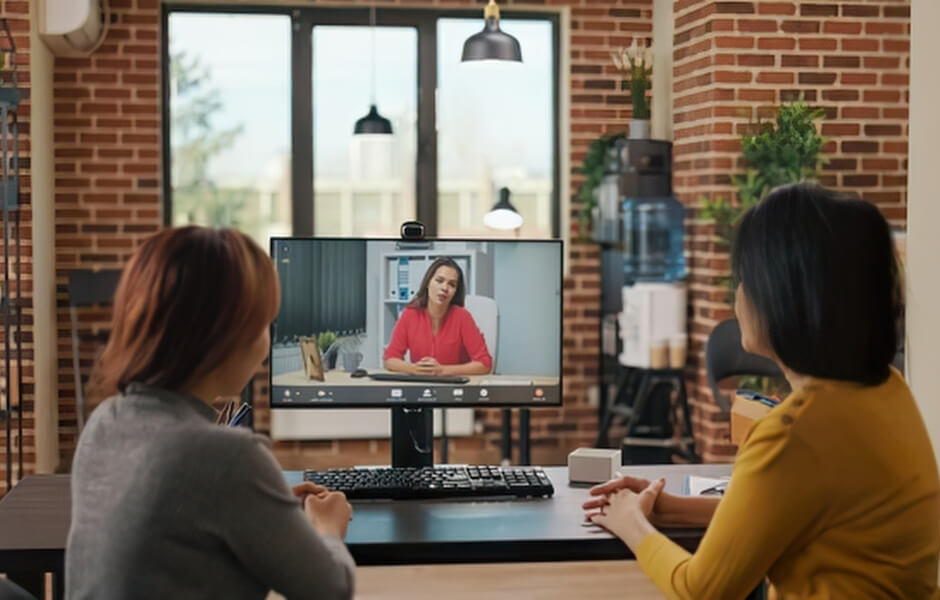
A product demonstration is most useful when it reflects the situations your gallery encounters. Before the meeting, consider sending the vendor a realistic scenario and asking them to work through it live.
For example, ask them to follow one artwork through its full life in the gallery:
- The work arrives on consignment. Create the record, add images, and enter the consignor, price, and commission terms.
- It goes into storage, then an exhibition. Update the location and show the movement history.
- It travels to an art fair. Show how the fair team sees current details and availability on a mobile device.
- It’s presented to a collector. Build a presentation or private viewing room from the inventory record, with or without prices.
- The collector places a hold. Record the hold against the work and the client, and show what other staff now see.
- The work sells. Create the invoice and show how the commission and the consignor’s payment are calculated.
- Every channel updates. Show the work’s status changing on the website, in viewing rooms, and in reports, without being re-entered.
As the vendor works through the scenario, pay attention to any manual re-entry, switching between tools, or steps that would need additional configuration. Include the people who will use the system regularly, such as a registrar, salesperson, and website manager. If possible, follow up with a trial or sandbox using a sample of your own records.
Frequently Asked Questions
What is art gallery inventory software?
Art gallery inventory software is a central database that stores a record for every artwork a gallery holds or represents. It tracks details, images, provenance, pricing, location, and status, and connects that information to consignments, sales, collectors, and digital channels.
What software do art galleries use to manage inventory?
Most professional galleries use dedicated gallery management software built for unique artworks, consignments, and collector relationships. Smaller galleries often start with spreadsheets, but these become hard to keep accurate as inventory, staff, and sales channels grow.
What should gallery management software include?
Gallery management software should include artwork records, location tracking, availability status, provenance, consignments, contacts and CRM, sales and invoicing, and reporting. Many galleries also need mobile access, presentations, viewing rooms, website connectivity, and role-based permissions.
How do galleries track artwork locations?
Galleries track artwork locations by recording every move in the artwork’s record, including storage, installation, fairs, loans, and shipments. A good system keeps a dated location history and separates physical location from sales status.
How do galleries manage consignments?
Galleries manage consignments by recording the consignor, agreed price, commission split, and consignment period against each artwork. Gallery software links these terms to sales and invoicing, so artist and consignor payments are calculated correctly.
Can gallery management software track collector interest?
Yes. Gallery management software with CRM features can link collectors to the works they have viewed, asked about, been offered, held, or bought. This helps sales staff follow up at the right time and keeps relationship history with the gallery.
Can gallery inventory software connect to a website?
Yes, some gallery inventory systems can publish artwork information directly to a gallery website or online viewing room. When connected, status changes such as a sale or hold update online without separate data entry.
What should a multi-location gallery look for in gallery software?
A multi-location gallery should look for one centralized inventory, clear location tracking across every site, detailed permissions by role and location, and strong reporting. Mobile access and connected digital channels help distributed teams work from the same information.
When should a gallery move from spreadsheets to management software?
A gallery should move from spreadsheets when records no longer match reality, more than one person edits inventory, or the same information is entered in several places. Moving earlier is easier, because there is less data to clean and migrate.
Explore Gallery Management Solutions
Choosing gallery software begins with understanding how your own organization works: how artworks move, who needs access to information, and where that information needs to appear. A reliable system maintains accurate artwork records while supporting the sales, operational, and digital activities that depend on them.
Gallery Systems offers connected gallery management solutions designed to support different parts of this workflow:
- ArtSystems for structured inventory, cataloguing, provenance, reporting, sales, logistics, and day-to-day gallery operations.
- ArtBinder for mobile inventory access, sales presentations, and secure sharing with collectors.
- Showroom for connected gallery websites and online viewing rooms.
Galleries have different needs, and not every organization will require every solution. Some begin with one product and expand their tools over time. By keeping artwork information connected, teams can reduce duplicate entry and devote more attention to artists and collectors.
If you are exploring gallery management software, our team can help you assess how these solutions fit your existing workflows and priorities.
Talk With Our Team