Configurable Collection Management for Real Workflows
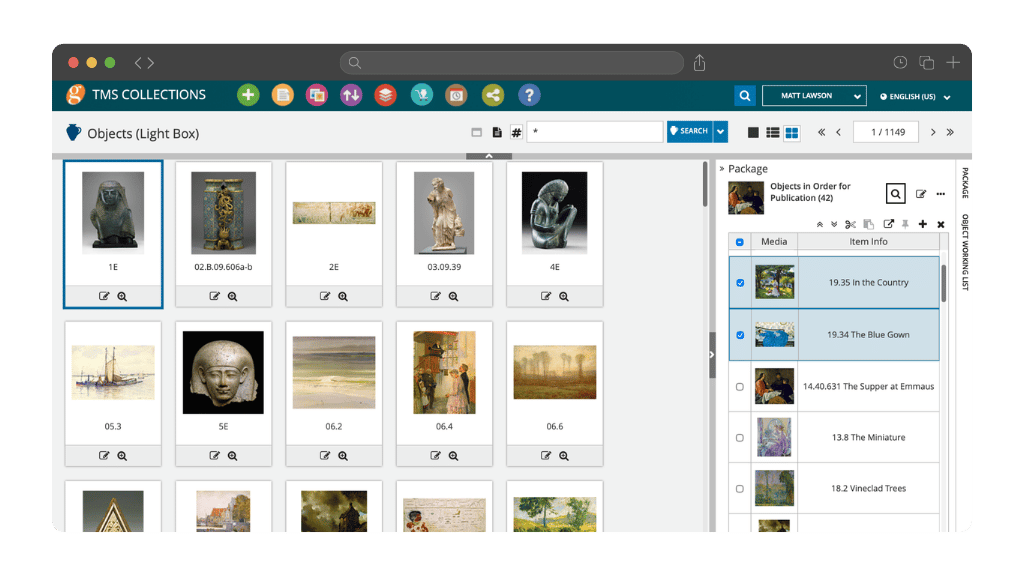
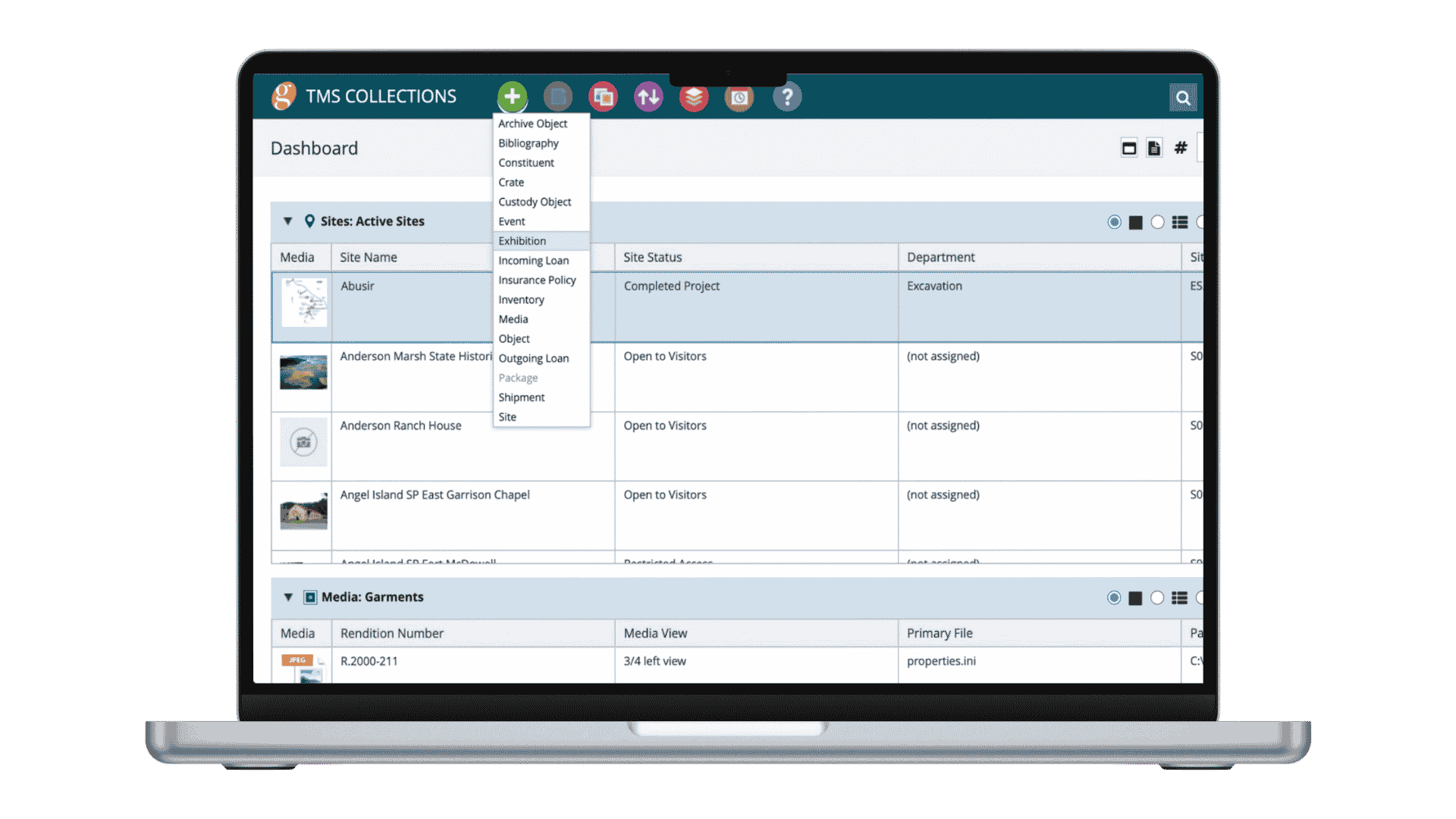
TMS Collections is the core of the TMS Suite, providing museums, archives, special collections, and cultural institutions with a single, centralized source of collections data. It connects cataloguing, exhibitions, loans, and reporting within one system to streamline daily operations and support effective collection management.
-
Browser-based access from any iPad or laptop, with cloud or on-premise hosting
-
Highly configurable workflows, fields, and permissions to match your requirements
-
Advanced search and filtering tools to locate and refine records
-
Multilingual interface with full Unicode support for global collaboration
-
Compliance with SPECTRUM and CCO standards to support best practice
The Foundation of the TMS Suite
-
Purpose-Built for Complex CollectionsDesigned specifically for cultural objects, archives, and special collections; every workflow reflects how collecting institutions operate.
-
One Connected EcosystemObjects, constituents, exhibitions, archives, and research materials exist in a fully relational system to eliminate silos.
-
Institution-First ConfigurabilityAdapts to your governance model, cataloguing standards, and workflows—without forcing process changes.
-
Authoritative Data at ScaleAn integrated thesaurus and structured framework ensure consistency, accuracy, and scholarly integrity.
-
Global Enterprise SecuritySecure, browser-based access enables collaboration without compromising data integrity.
Powerful Tools for Managing Workflows and Operations
Streamline collection management with comprehensive documentation, connected workflows, and integrated operational tools designed to help museums manage objects, exhibitions, and collection activities with greater accuracy and efficiency.
Comprehensive Object Management
Complete Visibility Across Your Collection
Streamlined Workflow Management
Efficient Tools for Complex Museum Workflows
Integrated Operational Tools
Connected Operations for Collection Activities
One Integrated Platform for Collections Management
TMS Collections anchors the TMS Suite ecosystem, ensuring that data remains centralized, consistent, and seamlessly shared across applications. The TMS Suite includes eMuseum for publishing online collections, TMS Media Studio for digital asset management, and TMS Conservation Studio for managing conservation documentation and workflows. Together, these integrated applications enable institutions to manage collections data, oversee media and conservation records, extend access to internal and public audiences, and maintain consistency across systems.
Articles, Insights & Case Studies
Collective Conversations with Chad Petrovay
Professional Services Specialist, Gallery Systems With a museum career spanning multiple institutions and over a decade partnering with Gallery Systems clients, Chad brings a rare combination of…
One Record for Every Team: Why Integration is the Future of Collections Management
The Hidden Cost of Disconnected Collection Management Software Many institutions manage their collections, exhibitions, conservation records, rights and reproductions, and digital assets across a…
The National Art Museum of Mexico City Case Study
The National Art Museum of Mexico City is dedicated to ensuring that visitors can experience its collections both in person and through digital platforms. Spanning the 16th through 20th…
Aberdeen Archives, Gallery & Museums Case Study
At the center of this operation is Thomas Megaw, Lead Curator (Collections Management), who oversees documentation workflows and collection access across the city’s public-facing and purpose-built…
Collective Conversations with Chad Petrovay
Professional Services Specialist, Gallery Systems With a museum career spanning multiple institutions and over a decade partnering with Gallery Systems clients, Chad brings a rare combination of…
One Record for Every Team: Why Integration is the Future of Collections Management
The Hidden Cost of Disconnected Collection Management Software Many institutions manage their collections, exhibitions, conservation records, rights and reproductions, and digital assets across a…
Answers
Is TMS Collections designed exclusively for museums?
No. While TMS Collections is widely used by museums, it is also implemented by corporate collections, special collections, foundations, artist estates, archives, libraries, universities, government organisations, and other collecting institutions. The system is designed to support organizations that manage and preserve cultural, historical, and artistic assets of many kinds.
What types of collections and collecting disciplines does TMS Collections support?
TMS Collections supports a broad range of collection types and disciplines, including fine art, decorative arts, archaeology, anthropology, natural history, archival materials, design, photography, and time-based media. Its configurable structure allows institutions to adapt cataloging and workflow practices to their specific collection needs.
What core collections management functionality does TMS Collections provide?
TMS Collections provides comprehensive tools to manage the full lifecycle of collection objects. This includes cataloging, acquisitions, loans (incoming and outgoing), exhibitions, locations and movements, conservation, provenance, rights and reproductions, and reporting. The system is designed to centralize collections data and support collaboration across departments.
Which modules are included in TMS Collections?
TMS Collections includes modules that support object records, constituents, exhibitions, loans, acquisitions, conservation, locations and movements, and related collections activities. Additional capabilities are available through the broader TMS Suite, allowing institutions to expand functionality as needed.
Which industry standards does TMS Collections support?
TMS Collections aligns with internationally recognized museum and cultural heritage standards. The system is fully SPECTRUM compliant, supporting best-practice workflows for acquisitions, cataloguing, loans, and related collections procedures. It also supports CCO (Cataloging Cultural Objects) guidelines to promote consistent, structured descriptive cataloguing and enables data interoperability through standards such as LIDO (Lightweight Information Describing Objects).
With full Unicode compliance, multilingual functionality (24 interface languages), a robust Thesaurus Manager for controlled vocabularies, and structured data import/export (including Excel, XML, and API integrations), TMS Collections helps institutions maintain data consistency, interoperability, and professional standards across their collections management practices.

How does TMS Collections differ from TMS for Windows?
TMS Collections is the current evolution of the TMS for Window platform. It builds on the established foundation of TMS for Windows while incorporating enhancements in usability, deployment options, and integration within the broader TMS Suite. Existing TMS for Windows users can transition to TMS Collections to benefit from ongoing development and expanded capabilities.
What is the licensing model for TMS Collections?
TMS Collections is offered through a licensing model structured around the number of concurrent user licenses required by your institution. This means licensing is based on how many users need to access the system at the same time, rather than the total number of named users.
How much configuration and training is required to use TMS Collections?
Every institution is different, so the level of configuration and training required will vary. Factors such as the size and complexity of your collection, the condition and structure of existing data, and whether you are an existing Gallery Systems client all influence the scope and timeline of implementation.
Some organizations may require more extensive configuration and training, while others can move more quickly depending on their starting point and internal resources. We encourage you to contact us for a personalized assessment so we can recommend an implementation and training plan tailored to your institution’s specific needs.
Can TMS Collections be used on Mac and Windows computers?
Yes. TMS Collections is a web-based application accessed through a browser, which means it can be used on both Mac and Windows computers. Due to the system being browser-based, there is no need for specialized desktop installation.
How much does TMS Collections cost?
Pricing for TMS Collections varies by institution. Costs are typically based on the number of concurrent users, hosting requirements related to the volume of collections data, and the level of onboarding or configuration needed. Institutions are encouraged to request a tailored proposal to receive pricing aligned with their specific requirements.
Do we need to host TMS Collections ourselves?
No. TMS Collections can be deployed either through secure cloud hosting or on-premise infrastructure, depending on your institution’s requirements. Many organizations choose Gallery Systems’ hosted environment to reduce the burden on internal IT teams and ensure reliable system performance.
Gallery Systems’ hosting infrastructure is designed to meet rigorous security standards, including FedRAMP-authorized environments and ISO-certified practices, helping institutions ensure their collections data is protected. For organizations that require it, on-premise deployments are also available.